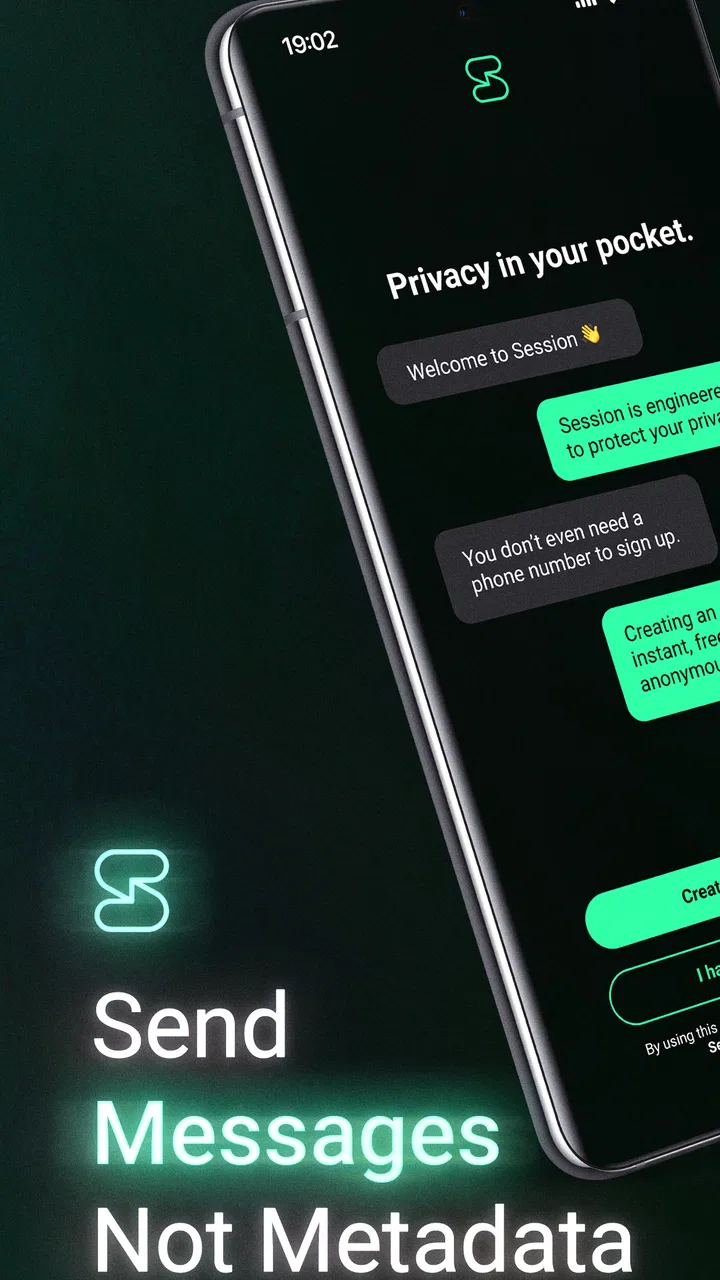
Session - Private Messenger
- 4.6
- Rating
- 5.00M
- Installs
- Free
- Price

 Analysis by App-foxy
I came to Session - Private Messenger expecting a communication app that would make privacy feel practical rather than complicated. After using it, my impression is that it is best understood as a private messaging tool for people who are willing to accept a little more setup friction in exchange for a different approach to communication. It is free to download, suitable for Everyone, and developed by Session Foundation. Its store summary, “Privacy you can trust,” is a useful indication of its purpose, but the day-to-day experience matters more than the slogan.
Session sits in the communication category, where most people already have familiar choices. That makes its job difficult: a private messenger has to protect conversations while still being easy enough for friends, relatives, or small groups to use without technical help. In my experience, the app makes the most sense when privacy is a deciding factor, not merely a nice extra. If your entire contact list already lives in another messenger and nobody wants to install something different, the practical benefits can be harder to enjoy.
Getting past the first points of friction
The first thing I would tell a new user is not to judge the app during the first few minutes. The beginning of a privacy-focused messenger can feel less familiar than the usual phone-number-based services. You are not simply opening an account and immediately finding every person you know. You need to understand how you will identify yourself, how another person will find you, and how you want to share that identity safely.
You May Also Like

 Blood Strike: 2.5 Anniversary
Blood Strike’s Loadouts Turn Every Drop Into a Tactical Gamble
A close look at Blood Strike’s custom loadouts: how fast access to signature weapons reshapes its battle royale rhythm, rewards preparation, and narrows the gap between fights.

 Pandora - Music & Podcasts
Pandora’s Music Is Easy to Start, but Harder to Recover
Pandora’s strength is its low-effort path from a seed to a station. Its weak spot is how much confidence it asks you to place in connection, setup, and quiet recovery.

 8 Ball Pool
 Is Built on Rivalries, Rematches, and Routine
A close look at the rivalries, rematches, shared routines, and unanswered safety questions that turn a quick pool match into a persistent mobile community.

 Samsung Music
’s Quiet Strength Is Playing What You Already Own
Its reach comes less from spectacle than from dependable access to a personal library. That simplicity is both the app’s strongest retention engine and its ceiling.

 AccuWeather: Weather Radar
AccuWeather Review: A Quick, Clear Forecast for Everyday Decisions
For everyday plans, the best forecast is the one you can understand quickly. AccuWeather makes rain timing, radar, and local conditions easy to act on, with a few trade-offs.

 Hill Climb Racing
Why Hill Climb Racing Still Turns Crashes Into One More Run
A tiny car, a bumpy hill and one more upgrade: Hill Climb Racing keeps resurfacing because its simple chaos makes every near-miss feel personal.
More From Our News Desk



That small change affects the whole onboarding experience. With ordinary messengers, people often assume that contacts will appear automatically once a phone number is connected. Session encourages a more deliberate process. That is useful from a privacy perspective, but it also creates the first common sticking point: a new user may think the app is empty or broken when the real issue is that the other person has not been added through the expected method.
I recommend setting it up before you urgently need to contact someone. Create your account, look through the messaging screen, and decide where you will keep the information needed for contact exchange. If you are helping a family member, do the first connection while you are both available. Explaining the process in person is much easier than trying to troubleshoot it through a different app.
The most important setup habit is to treat your account details like a private key to your conversations. Do not casually post them in a public group or send them to the wrong person. A privacy tool can reduce exposure in transit, but it cannot prevent mistakes made while sharing an identity or approving a contact. I found that this basic discipline makes the whole experience feel more predictable.
Checks that save time before blaming the app
When a message does not seem to arrive, I start with simple checks rather than repeatedly tapping send. I confirm that both people are using the intended account, that the recipient has actually accepted or added the conversation, and that the device has a working internet connection. These sound obvious, but private messaging workflows often make the relationship between identity, contact request, and delivered conversation less visible than users expect.
I also check whether the problem affects one conversation or every conversation. If only one contact is affected, the likely cause is usually the contact exchange or the recipient’s device state rather than a general failure. If every conversation behaves the same way, then I look at the connection, the app version, and whether the device is restricting background activity. This simple split prevents a lot of unnecessary account changes.
The current version is 1.32.1 and the app requires Android 8.0 or later. Those details matter when someone is installing it on an older phone or troubleshooting an installation that never completes. On a supported device, I would still make sure the app is updated through the normal store process before drawing conclusions from an unusual error. Updates can also change where a setting appears, so instructions copied from an old guide may no longer match the screen in front of you.
Session is available at no purchase price, although in-app purchases range from $4.49 to $29.99 per item. For a person deciding whether to try it, the important point is that the basic decision is not the same as committing to a conventional paid communication service. I would still review any purchase screen carefully, especially if you are installing it for a child or on a shared device.
Why contact setup feels different from ordinary messengers
Many users will arrive with expectations shaped by services that automatically connect a phonebook to an account. Session is a poor fit if your preferred workflow is “install, allow access to contacts, and start chatting with everyone immediately.” Its privacy-first design changes that expectation, and the result can feel slower even when everything is working correctly.
That trade-off is worth discussing with the people you want to reach. If one person believes the app should populate a familiar contact list while the other is waiting for an invitation or identity exchange, both may assume the other has made a mistake. I have found that agreeing on the exact first-contact method before opening the app avoids more confusion than any technical fix.
Another useful habit is keeping a small, private record of which identity belongs to which trusted contact. Do this locally and securely, not in a public notes app or an unprotected shared document. The goal is not to create a complicated filing system; it is simply to avoid asking, weeks later, which unfamiliar identifier belongs to a friend. This becomes particularly helpful when you use the app for several separate circles rather than one family chat.
Recovering a conversation without making the problem worse
When a conversation appears stalled, I avoid immediately uninstalling the app or clearing its storage. Those actions can remove useful local information and make it harder to understand what happened. I first reopen the conversation, check the connection, and ask the other person whether they can see the same state. If the message is important, I use a separate trusted channel to confirm whether the recipient is online and looking at the correct conversation.
This two-channel check is one of the most practical lessons with any private messenger. The app may be functioning while the recipient is offline, using a different account, or waiting for a contact request to be completed. A quick call or ordinary message can establish which side needs attention without sending the same private message repeatedly or creating duplicate conversations.
I also recommend changing one thing at a time. If you update the app, restart the device, change network connections, and reinstall in one sequence, you will not know which action helped. A better order is to confirm connectivity, verify the contact, restart the app, check for an update, and only then consider more disruptive steps. This is not glamorous troubleshooting, but it is much kinder to your conversation history and your patience.
For a message that is time-sensitive, I would not rely on Session as the only route unless the recipient is already comfortable with it. The app can be a strong choice for planned private conversations, but an urgent communication plan should include a backup method. That is not a criticism unique to Session; any messenger can be affected by a dead battery, missing connection, notification restrictions, or a recipient who has not opened the app.
When the phone or network is the real culprit
Some apparent messaging failures are caused by the phone rather than the application. Battery-saving modes can delay background activity, and unstable Wi-Fi or mobile data can make a conversation look inconsistent. I check whether other internet services work on the same device, whether the issue changes between Wi-Fi and mobile data, and whether the phone has enough free storage for normal operation.
Notifications deserve a practical check too. If messages arrive only after opening the app, the problem may be a system setting that limits background activity rather than a failure to send. The exact menu names vary by Android manufacturer, so I would use the phone’s own notification and battery settings instead of following a generic instruction blindly. The key is to allow normal notifications for Session while avoiding the habit of granting broad permissions to every application.
It is also worth checking the recipient’s device. A sender can do everything correctly and still see a delayed response because the other phone is offline, powered down, restricting background work, or running an unsupported system. Since Session is an Android app with an Android 8.0 minimum requirement, an older device should be checked before assuming that reinstalling will solve anything.
Privacy-focused software can attract a particular kind of troubleshooting mistake: users may interpret an unfamiliar workflow as evidence that a message is being hidden or blocked. I prefer to separate security expectations from delivery expectations. Privacy protections do not guarantee instant delivery, and a message that is delayed is not automatically a sign that the app is malfunctioning. That distinction helps users investigate calmly instead of weakening their own privacy practices.
Everyday situations where I would use it
One realistic example is a small group planning a sensitive family matter, such as coordinating care for a relative. The group may not want the conversation mixed with work chats or tied to the contact habits of a larger social platform. In that situation, Session’s separate identity and privacy-oriented workflow can make the conversation feel more intentional. I would create the group in advance, confirm that every participant is in the correct conversation, and agree on a backup contact method for urgent changes.
Another use is keeping a private conversation separate from a public-facing phone number. A freelancer, volunteer, or community organizer may want to discuss a project without handing the same identifier to every person they meet. Session can be appealing here, provided the person is willing to explain how to connect and is prepared for some contacts to prefer a more familiar messenger.
I would be more cautious about using it as the only messenger for a large, casual social circle. The more people involved, the more likely someone is to forget the setup process, lose track of an identity, or return to the service everyone already uses. Session’s strength is not automatic mass adoption; it is giving a privacy-conscious group a focused place to communicate.
How it compares with familiar alternatives
Compared with mainstream messengers, Session generally asks more from the user at the beginning. The usual alternatives often win on contact discovery, existing social networks, polished migration tools, and the simple fact that friends already have accounts. If your priority is reaching the largest number of people with the least explanation, a conventional messenger is probably the better practical choice.
Compared with other privacy-oriented messengers, the decision is less about a single feature and more about the complete workflow. I would compare how each service handles identity, contact exchange, device changes, group communication, notifications, and recovery before moving a whole conversation history. A privacy label alone is not enough. The best app is the one whose safety model you understand and whose daily process your contacts will actually follow.
Session’s advantage for me is that it makes privacy the starting point rather than an optional adjustment buried beneath a familiar social experience. Its weakness is the same design choice: people who want effortless contact discovery may experience the app as inconvenient. That is a genuine trade-off, not a defect that can be solved by changing one setting.
Who should try it, and who should skip it
I would recommend Session to someone who values private communication, is comfortable introducing a different contact workflow, and can plan conversations rather than expecting every message to work like a conventional SMS replacement. It is also a reasonable option for a small group that agrees in advance to use it and understands that each person’s device and connection still matter.
I would suggest skipping it if your main requirement is immediate access to a large existing address book, effortless account recovery, or universal compatibility with people who refuse to install another messenger. It may also frustrate users who do not want to explain identifiers, check contact requests, or keep a backup route for important messages.
The app has attracted a substantial audience, with over 5 million installs, a 4.7 average from around 20 thousand ratings, and 856 written reviews. Those figures suggest that many users find its approach worthwhile, but they do not remove the need to match the tool to your own communication habits. Popularity cannot make an unfamiliar workflow disappear.
My practical verdict after using it
Session - Private Messenger is a thoughtful choice for privacy-minded communication, but I would not describe it as the easiest messenger for everyone. Its value appears when you deliberately choose a private channel and are willing to help your contacts get through the first setup. Once that shared understanding is in place, the app becomes much less mysterious and more useful.
My advice is to test it with one trusted person before moving an entire group. Confirm how you exchange identities, send a few ordinary messages, check notifications on both phones, and decide what you will do if one device goes offline. That small trial reveals whether the workflow suits you better than a store description ever could.
For me, the final balance is positive, with an important qualification: Session is better as a purposeful privacy tool than as a universal replacement for every messenger. If you value privacy enough to accept a little friction, it deserves a serious look. If convenience, automatic discovery, and instant reach matter more, the familiar alternative may serve you better. The app is free, rated for Everyone, and maintained by Session Foundation, but the real question is personal: will you and the people you need to reach consistently use its privacy-first process?
FAQs for Session - Private Messenger
01What is Session - Private Messenger?
Session - Private Messenger is a privacy-focused messaging app designed to protect users' data and identity. It offers end-to-end encryption, decentralized infrastructure, and eliminates the need for phone numbers or email addresses for registration. This ensures that your conversations remain private and secure from third-party surveillance.
02How does Session ensure privacy and security?
Session uses advanced end-to-end encryption to secure all messages, meaning only you and the recipient can read them. Additionally, it employs a decentralized network to route messages, protecting your identity and location. It does not require personal information like phone numbers, further enhancing user anonymity.
03Is Session - Private Messenger free to use?
Yes, Session is completely free to download and use. It doesn’t have any hidden charges or premium features, ensuring all users can benefit from its robust privacy features without financial barriers. The app is supported by a non-profit foundation committed to protecting user privacy.
04Can I use Session on multiple devices?
Yes, Session supports multi-device use. You can link multiple devices to the same account, allowing you to access your messages seamlessly across different platforms. However, initial setup requires a QR code scan for each device to ensure security and privacy.
05Are there any drawbacks to using Session - Private Messenger?
While Session offers strong privacy features, some users might find it lacks certain mainstream messaging app functionalities, such as video calls or a wide range of emojis. Additionally, because it prioritizes privacy, message delivery might be slightly slower compared to other apps that use centralized servers.
Pros
- Strong end-to-end encryption for messages.
- Open-source for transparency and security.
- No phone number required for sign-up.
- Cross-platform availability for various devices.
- User-friendly interface with clean design.
Cons
- Limited media file size for sharing.
- No video calling feature available yet.
- Occasional sync issues on multiple devices.
- Smaller user base compared to competitors.
- Limited customization options for themes.

Session - Private Messenger
Gallery